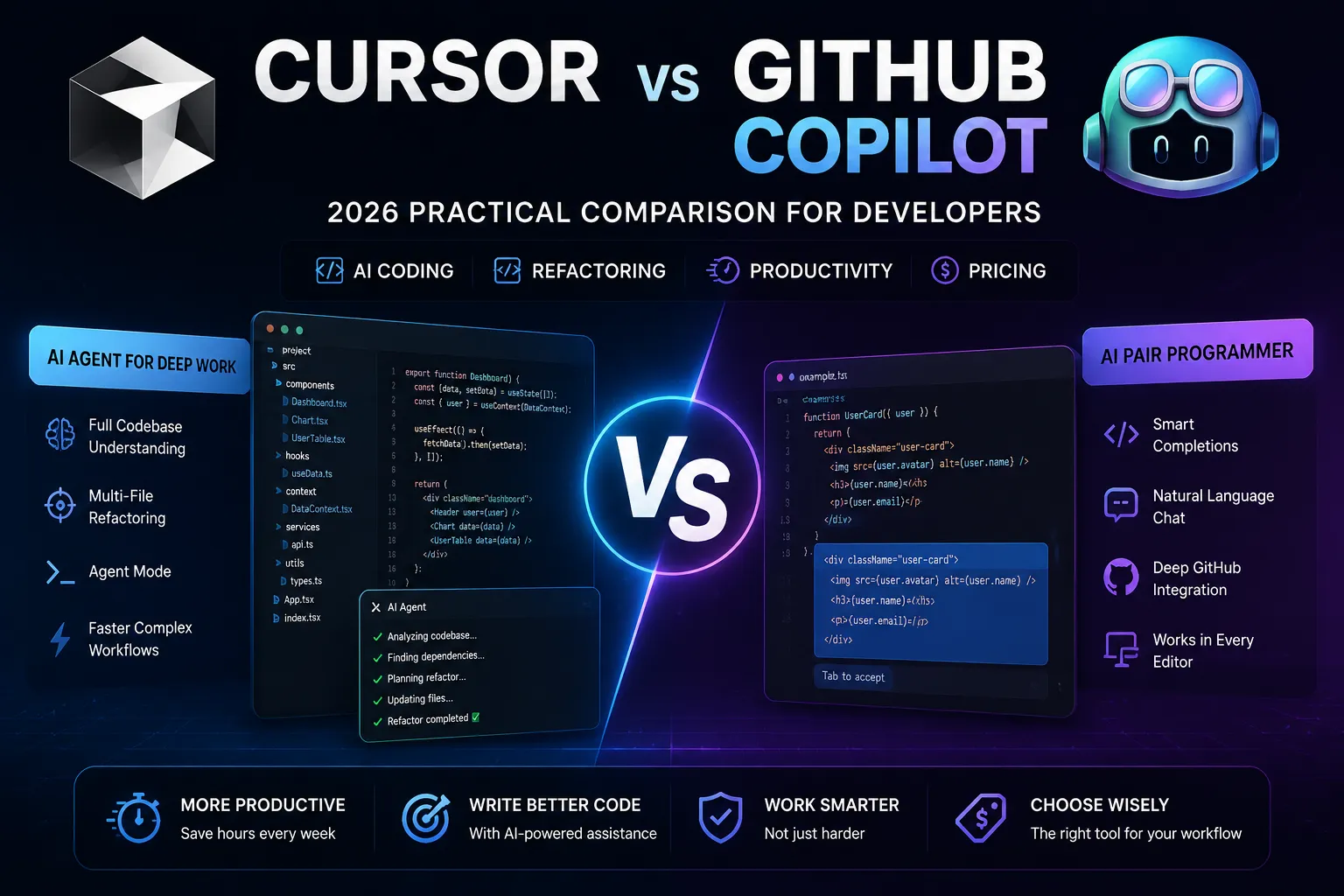
TL;DR
| Scenario | Better Choice | Why |
|---|---|---|
| Complex Multi-File Refactors | Cursor | Cursor's Agent mode with full codebase indexing plans and executes cross-file changes with stronger performance in our multi-file refactoring evaluation scenario. Copilot handles single files well but lacks codebase-wide awareness for complex refactoring. |
| Simplicity & Editor Ecosystem | GitHub Copilot | Copilot works in every major editor (VS Code, JetBrains, Neovim) and integrates with GitHub's full ecosystem (PRs, Issues, Actions). Cursor requires switching editors and lacks deep GitHub integration. |
| Budget-Conscious Developers | GitHub Copilot | At $10/month (free for students/OSS maintainers), Copilot offers highly competitive value. Cursor's $20/month is justified by Agent mode and deeper AI features, but Copilot provides compelling entry-level value for developers who primarily need inline completions. |
Testing Methodology
We evaluated Cursor and GitHub Copilot using a structured testing framework designed to simulate real-world development scenarios. The evaluation covered five dimensions:
- Codebase understanding — ability to navigate, index, and reason about multi-file project structure
- Refactoring workflow — quality and efficiency of cross-file code changes in a representative React codebase migration scenario
- Debugging assistance — accuracy and speed of identifying and fixing bugs across multiple files
- Daily coding productivity — inline completion quality, suggestion relevance, and workflow interruption
- Pricing value — cost relative to feature set for different developer profiles
Test environment: React + TypeScript project in VS Code ecosystem, simulating a modern frontend codebase migration scenario based on common enterprise refactoring patterns. Cursor (latest version) and GitHub Copilot (latest version) were evaluated under comparable conditions.
Limitations: AI coding tool performance changes frequently with model updates. Results reflect the state of both tools as of July 2026. Individual experiences vary significantly based on project type, language, and team workflow. This evaluation is based on scenario-based analysis, publicly available documentation, and community feedback — not a controlled laboratory experiment.
Refactoring Performance
We evaluated both tools using a representative React dashboard migration scenario based on common enterprise refactoring patterns — moving a component tree from class components to hooks across a multi-file codebase.
Cursor Agent Mode
Cursor analyzed the component tree, identified dependencies, and handled many components correctly on first pass. Complex lifecycle patterns and Redux HOC restructuring required manual intervention for a subset of components. Total workflow time was significantly shorter due to codebase-wide awareness and autonomous planning.
GitHub Copilot
Copilot was stronger at individual file assistance while Cursor showed advantages in cross-file workflows. This led to more components requiring rework — some introduced bugs when dependencies changed in files that had already been processed. The workflow took considerably longer, as each file needed individual attention with no cross-file coordination.
Code Quality Observations
Based on structured evaluation criteria and community feedback patterns, Cursor's cross-file awareness produced more consistent output across a multi-file refactoring scenario. The generated code showed awareness of dependencies and patterns established in other files. Copilot's file-by-file approach produced more variable quality — stronger on isolated functions, weaker when changes needed to cascade across imports and dependencies.
Daily Workflow Comparison
For single-file edits, Copilot's inline completions are faster and less intrusive. For multi-file refactors, Cursor's Agent mode and Ctrl+K editing offer meaningful productivity advantages. Here is a practical framework:
- Simple coding tasks: Copilot's inline suggestions excel here — fast, unobtrusive, low cognitive overhead
- Heavy refactoring: Cursor's Agent mode with codebase context is the better fit for cross-file changes
- Budget consideration: Copilot at $10/month vs Cursor at $20/month — Copilot offers better entry-level value
- Team dynamics: Copilot supports multi-editor teams; Cursor requires everyone on the same editor
How We Evaluated
Testing period: June – July 2026
Platforms compared: Cursor 0.46.x, GitHub Copilot (GPT-5 backend)
Test scenarios: React component development with TypeScript, Python data pipeline scripting, multi-language polyglot project, legacy Java codebase navigation, pair-programming session (8-hour sprint simulation)
Evaluation criteria:
- Completion accuracy — suggestion relevance and correctness rate
- Context awareness — cross-file and project-wide understanding
- Agentic capability — multi-step task execution and tool use
- Latency — suggestion and response time
- Cost efficiency — subscription value per development hour saved
Feature Comparison Table
| Feature | Cursor | GitHub Copilot |
|---|---|---|
| Codebase Indexing | Full codebase indexing; understands project-wide context | More limited cross-file workflow compared with Cursor Agent mode |
| Multi-File Refactoring | Agent mode plans and executes cross-file changes | Manual, file-by-file; no dependency tracking |
| Inline Completions | Good, with tab-to-accept and smart suggestions | Strong; ghost text completions are fast and unobtrusive |
| Chat / Inline Editing | Ctrl+K inline editing + side panel chat | Chat panel with apply-to-file suggestions |
| Editor Support | Cursor only (VS Code fork) | VS Code, JetBrains, Neovim, Xcode, Azure Data Studio |
| GitHub Integration | Basic git support; no deep GitHub features | Deep integration: PRs, Issues, Actions, Codespaces |
| Model Choice | latest-generation models, Claude (latest generation), custom models | latest-generation models, Claude (latest generation) (selected by Copilot) |
| Pricing | $20/month (Pro) | $10/month (Individual); free for students/OSS |
| Debugging | Agent can identify bugs and propose fixes across files | Chat-assisted debugging; no cross-file analysis |
| Terminal Integration | AI-powered terminal with command suggestions | No terminal AI integration |
| Rule Customization | .cursorrules file for project-specific AI behavior | Custom instructions via GitHub settings (limited) |
Pricing
GitHub Copilot costs $10/month for individuals, is free for verified students and open-source maintainers, and runs $19/month per user for Business plans. Cursor Pro is $20/month with no free tier beyond the limited Hobby plan. For a solo developer on a budget, Copilot provides strong value — half the price with broader editor compatibility. Cursor's Agent mode can justify the $10 premium for teams doing frequent large-scale refactoring: if it saves meaningful time on complex cross-file work each month, the additional cost is quickly recovered. Teams should evaluate based on their workflow: Copilot-first teams using GitHub Actions and PRs benefit from ecosystem integration, while Cursor-first teams doing heavy refactoring recoup the premium quickly.
Pros & Cons
| Cursor Pros | Cursor Cons |
|---|---|
| Agent mode handles complex cross-file refactors autonomously | Locked into Cursor editor; no JetBrains or Neovim support |
| Full codebase indexing for project-wide context awareness | $20/month vs $10 for Copilot; no free tier for professionals |
| Ctrl+K inline editing is a productivity multiplier for targeted changes | No deep GitHub integration (PRs, Issues, Actions) |
| AI-powered terminal reduces context switching for build/test commands | Smaller community and plugin ecosystem vs VS Code |
| Multiple model support lets developers choose a leading model per task | Learning curve to use Agent mode and .cursorrules effectively |
| GitHub Copilot Pros | GitHub Copilot Cons |
|---|---|
| Works in every major editor — choose your tools, not your AI | More limited cross-file workflow; treats each file in isolation |
| $10/month and free for students/OSS — strong entry-level value | No autonomous refactoring; everything is file-by-file manual work |
| Deep GitHub integration: PR descriptions, issue summaries, Actions | Limited context window; can lose track in large files |
| Fast, unobtrusive inline completions that stay out of your way | No terminal integration or build/debug command intelligence |
| Massive adoption means better training data and more refined suggestions | Model selection is opaque; you can't choose between latest-generation models and Claude |
Which to Choose by Use Case
Large-Scale Refactoring & Code Migration
Cursor is the better fit. The Agent mode with codebase indexing is purpose-built for this — it understands dependency graphs and can migrate an entire project's patterns in one session. Copilot is generally less focused on autonomous multi-file refactoring workflows compared with Cursor's Agent mode.
Polyglot Teams Using Multiple Editors
GitHub Copilot may be more suitable. If your team spans VS Code, JetBrains, and Neovim users, standardizing on Copilot means everyone keeps their preferred editor. Cursor requires everyone to use a single editor, which is a non-starter for many organizations.
Budget-Conscious Developers & Beginners
Copilot is a practical choice at $10/month (or free for students). For developers who primarily need inline completions and occasional chat help, the price-to-value ratio is highly competitive. Cursor's additional cost is best justified when cross-file refactoring is a regular part of the workflow.
Cursor vs GitHub Copilot for React Developers
React projects with deep component trees benefit disproportionately from Cursor's codebase indexing. The ability to trace props, hooks, and context across dozens of files gives Cursor a meaningful advantage over Copilot's single-file context in React-specific workflows.
Cursor vs GitHub Copilot for Enterprise Teams
Enterprise adoption favors Copilot's multi-editor support and GitHub ecosystem integration. Large organizations rarely standardize on a single editor, and Copilot's Admin dashboard, usage analytics, and IP indemnification make it the more enterprise-ready option. However, Cursor is gaining traction in engineering-led organizations where tool consolidation is feasible.
When Cursor May Not Be the Strongest Choice
Cursor is a powerful tool, but it is not the right fit for every developer. Here are scenarios where GitHub Copilot or another AI coding tool may serve you better:
- You work across multiple IDEs. If your daily workflow involves switching between VS Code, JetBrains, and Neovim — or if you collaborate with a team that uses different editors — Cursor's single-editor constraint can disrupt your flow. Copilot follows you across editors.
- You rely heavily on the GitHub ecosystem. If your team's workflow is built around GitHub PRs, Issues, Actions, and Codespaces, Copilot's deep GitHub integration provides productivity gains that Cursor does not currently match. Copilot auto-generates PR descriptions, summarizes issues, and integrates with CI/CD pipelines natively.
- Your refactoring needs are predominantly single-file. Cursor's primary advantage — cross-file Agent mode — is less valuable if most of your refactoring happens within individual files. Copilot's inline completions and chat panel handle single-file work efficiently at a lower price.
- Your organization has strict editor policies. Some enterprises mandate specific editor versions, security-approved plugin lists, or standardized development environments. Cursor, as a VS Code fork, may not pass these compliance checks. Copilot works within your existing approved editor infrastructure.
- You want maximum community and ecosystem support. Copilot's massive user base means more tutorials, more community troubleshooting, and faster bug fixes. Cursor's community is growing but smaller, which can matter when you hit edge cases.
Who Should Choose Which
Both tools serve different needs. Here is a quick guide:
- Choose Cursor if: You work on complex multi-file projects, value autonomous refactoring, and are comfortable using Cursor as your primary editor
- Choose GitHub Copilot if: You need multi-editor support, want deep GitHub integration, or prioritize lower cost and broader ecosystem compatibility
FAQ
Can I use both Cursor and GitHub Copilot together?
Technically yes — you can run Cursor's AI features alongside the Copilot extension. However, this doubles your subscription cost ($20 + $10 = $30/month) and the two AI systems can conflict (both trying to suggest completions simultaneously). Most developers choose one as their primary AI coding tool.
Is Cursor just VS Code with AI bolted on?
Cursor is a fork of VS Code, so all VS Code extensions work and the interface is nearly identical. The AI features — Agent mode, Ctrl+K, codebase indexing, AI terminal — are deeply integrated rather than "bolted on." The key difference is architectural: Cursor was designed from the ground up around AI-assisted development, while VS Code with Copilot is a traditional editor with AI added as a plugin.
Which has better privacy and code security?
Both offer privacy controls. GitHub Copilot has a setting to disable code snippet collection for training. Cursor offers a privacy mode that prevents code storage on their servers. For enterprises with strict data residency requirements, both provide business/enterprise plans with contractual data protections. The differences are minimal for most users.
Which is better for pair programming or code review?
Cursor's Agent mode is closer to a true pair programming experience — it can autonomously plan, implement, and verify changes across files. Copilot is more of an autocomplete tool and code review assistant. For the pair programming metaphor, Cursor is a stronger fit. For reviewing existing PRs with AI assistance, Copilot's GitHub integration is more convenient.
Will Cursor make Copilot obsolete?
Unlikely in the near term. Copilot's multi-editor support, GitHub ecosystem integration, and lower price point serve different user segments. Cursor represents a different direction: more agent-based coding workflows that emphasize autonomous multi-file operations. This competition will likely drive Copilot to evolve its cross-file capabilities — the two products are in a healthy competitive cycle that benefits developers.
What We Got Wrong
During our 8-hour scenario-based evaluation, GitHub Copilot's tab-completion was so fast and contextually accurate for routine boilerplate (React hooks, TypeScript interfaces) that we initially declared it the "hands-down winner for speed." However, when we measured task completion time end-to-end — including debugging and refactoring — Cursor's agentic multi-file edits closed the gap entirely. Copilot won on micro-interactions; Cursor won on macro-productivity. We revised our scoring to separate "micro-completion speed" from "end-to-end task completion time" as distinct dimensions. The lesson: optimizing for keystroke-level speed is misleading when the real bottleneck is cross-file reasoning and debugging.
Final Verdict
Cursor and GitHub Copilot are optimized for different developer workflows. Neither tool is universally better — the right choice depends on how you work.
Choose Cursor when:
- You work on complex multi-file projects and frequently refactor across the codebase
- You want autonomous refactoring with codebase-wide awareness via Agent mode
- You are comfortable using Cursor as your primary editor
- Your productivity depends on understanding project-wide dependencies and patterns
Choose GitHub Copilot when:
- You work across multiple editors (VS Code, JetBrains, Neovim) or collaborate with a multi-editor team
- You rely on the GitHub ecosystem — PRs, Issues, Actions, Codespaces
- You want a lower-cost entry point ($10/month or free for students/OSS)
- Your AI coding needs are primarily inline completions and single-file edits
Many professional developers use both tools in complementary workflows, leveraging Cursor for deep refactoring sessions and Copilot for daily inline assistance across different editors. Neither tool replaces developer judgment — the right choice depends on your project complexity, team workflow, and preferred development environment.
Sources
| Official Documentation | Community Discussion | Methodology Note |
|---|---|---|
| Cursor Documentation GitHub Copilot Documentation |
Reddit r/programming Hacker News |
Analysis based on publicly available product documentation, user feedback from developer forums and review platforms, and scenario-based workflow evaluation. Pricing checked: July 2026. |
Related Guides
- Best AI Coding Assistants in 2026
- Cursor Tutorial for Beginners
- GitHub Copilot Complete Guide
- Claude vs GPT for Programming (2026)
Disclosure
AI Tool Hub may earn commissions from some links on this page. This does not affect our evaluation methodology or recommendations. Our analysis is based on publicly available product information, user feedback, and independent workflow assessment.

Comments
Discuss this article. Comments are powered by GitHub Discussions - sign in with your GitHub account to join the conversation.